

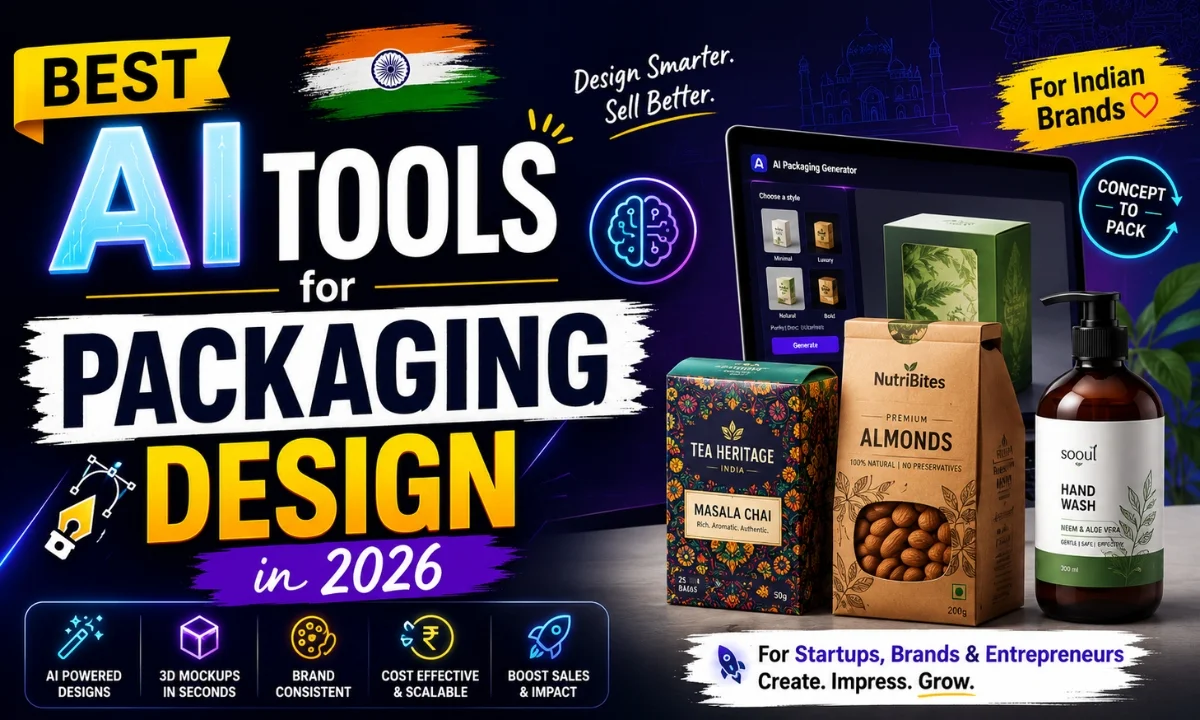
Is your packaging design workflow still stuck on manual mockups and back-and-forth with clients at midnight? I’ve been testing the best AI tools for packaging design for a while now — and honestly, the gap between “actually useful” and “just hype” is massive. This post covers 10 tools, what they’re actually good at, and who should use them.
Quick Comparison: Best AI Tools for Packaging Design
| # | Tool | Best For | Free Tier | Starting Price |
|---|---|---|---|---|
| 1 | Adobe Firefly | Pro print-ready work | Yes (limited) | ~₹1,675/mo |
| 2 | Canva AI | Quick client mockups | Yes | Free / ₹3,999/yr |
| 3 | Midjourney | Concept generation | No | $10/mo (~₹850) |
| 4 | Packhelp | Custom box previews | Yes | Custom |
| 5 | Mokker AI | Product photo backgrounds | Yes (10 free) | $19/mo (~₹1,615) |
| 6 | Kittl | Label & badge design | Yes | $10/mo (~₹850) |
| 7 | Looka | Brand identity + packaging | No | $65 one-time (~₹5,525) |
| 8 | Designify | Background removal at scale | Yes | $9/mo (~₹765) |
| 9 | Runway ML | Motion mockups & video | Yes (limited) | $15/mo (~₹1,275) |
| 10 | Patterned.ai | Surface pattern generation | Yes | $19/mo (~₹1,615) |
Buy AI Tools at Cheapest Price
1. Adobe Firefly — Best for Professional, Print-Ready Packaging
If you’re doing packaging work for FMCG clients or D2C brands that actually go to print, Adobe Firefly is where I’d start. The generative fill inside Illustrator and Photoshop is genuinely useful — you can extend label artwork, generate pattern fills, and recolor entire dielines without leaving your working file. That alone saves me 40 minutes on a typical label revision.
The images are commercially safe because Adobe trained on licensed content. That matters when a client asks you point-blank whether the AI-generated elements are IP-clean. Priced at around ₹1,675/month as part of a Creative Cloud plan. Not cheap, but if you’re already on CC, you’re getting this free. Check Adobe Firefly’s features and pricing here.
The one real limitation: it’s only useful if you already know Illustrator or Photoshop. Beginners will feel lost. But for working professionals and freelancers doing client work on Upwork or local D2C brands, this is top of the list for the best AI tools for packaging design.
2. Canva AI — Best for Quick Mockups and Festival Templates
See, here’s the thing about Canva — most designers dismiss it as “not serious,” but for the Indian market specifically, it’s a workhorse. The Magic Design feature can generate entire packaging compositions from a prompt. The AI background remover works on product photos in seconds. And the template library has grown to include gift boxes, pouch mockups, and label layouts that are surprisingly close to production-ready.
For Indian wedding gifting boxes, Diwali hamper labels, or quick Rakhi packaging — I’ve seen freelancers charge ₹2,000–₹5,000 per project and deliver in under two hours using Canva’s AI features. The free tier is functional, and the Pro plan is ₹3,999/year — roughly the same as two months of Netflix Premium. Canva’s full AI design feature list is here.
Canva Pro also gives you the Brand Kit, which is useful when managing 10+ packaging clients. You’re not going to produce dieline-accurate print files here, but for concept approval and client sign-off? It’s hard to beat. One of the most accessible best AI tools for packaging design for non-technical users.
3. Midjourney — Best for Concept Generation and Mood Boarding
Midjourney doesn’t export print-ready files. Let’s be clear about that. What it does is generate reference-quality visuals faster than you can sketch. I use it at the brief stage — before I open Illustrator — to show a client three different packaging directions. Saves one entire revision cycle easily.
At $10/month (~₹850), it’s one of the more affordable best AI tools for packaging design for the ideation phase. No free tier currently. Works via Discord, which is a bit clunky, but you get used to it.
4. Packhelp — Best for 3D Box Previews and Custom Packaging Orders
Packhelp sits at an interesting intersection: it’s a packaging supplier with a built-in design tool. Their AI mockup generator lets you upload artwork and preview it on actual box structures — mailer boxes, custom pouches, tissue paper. The 3D preview is good enough to share with clients for approval without doing a physical sample first.
If you’re working with a small D2C startup that needs both design and printing sorted, Packhelp is worth a look. Pricing is custom based on order volume. The design tool itself is free to use for mockups.
5. Mokker AI — Best for Product Photography Backgrounds
You’ve designed the packaging. Now the client wants product photos for Instagram. Mokker AI places your product image into AI-generated backgrounds — marble counters, kraft paper textures, natural light setups. It’s genuinely good. I tested the same prompt on three tools and Mokker was the only output I’d actually send to a client without editing.
Free tier gives 10 images. Paid starts at $19/month (~₹1,615). For social media content around packaging launches, this is a solid add-on in your toolkit.
6. Kittl — Best for Label Design and Vintage Badge Styles
Kittl has carved out a niche in label and badge design — think craft beer labels, spice jar stickers, artisanal jam packaging. The AI text effects and retro illustration generation inside Kittl are quite specific to this style. If your clients are in the food & beverage, gifting, or handmade products space, this tool fits naturally.
At around $10/month (~₹850), it’s accessible. The export quality is print-suitable. I’d put Kittl above Canva for anything that needs a “handcrafted premium” look among the best AI tools for packaging design.
7. Looka — Best for Brand Identity + Packaging System Together
Looka generates a full brand identity — logo, color palette, fonts — and then applies it across packaging mockups, business cards, and social assets. It’s a one-time payment model: $65 (~₹5,525) for the brand kit. For early-stage startups that need packaging and branding sorted together fast, this makes sense.
The design quality is template-driven, not bespoke. But for a bootstrapped food startup that needs something on shelves quickly, it’s paisa vasool.
8. Designify — Best for Bulk Background Removal
Not glamorous, but genuinely useful. If you’re doing packaging mockups at scale — say, 50 SKUs for a client’s product catalog — Designify’s API or batch upload removes backgrounds and places products on clean or custom backgrounds automatically. Free tier exists, paid is $9/month (~₹765). Worth having in your toolbox even if it’s not the hero tool.
9. Runway ML — Best for Motion Mockups and Video Previews
This one’s niche but growing in demand. Clients launching on Instagram or Reels increasingly want animated packaging previews — a box opening, a label catching light. Runway ML can turn a static packaging image into a short motion clip. It’s not perfect, but it’s fast. Free tier is limited; paid starts at $15/month (~₹1,275).
10. Patterned.ai — Best for Surface Pattern and Print Design
Generate seamless repeating patterns for gift wrap, bags, or product sleeve designs. You describe the pattern — “indigo floral with gold accents, festive” — and it generates tileable vectors. Simple, focused, and one of the more underrated best AI tools for packaging design for gifting and stationery work.
Real Use Cases by User Type for Best AI Tools for Packaging Design
Here’s how different users are actually applying these tools:
- Freelance packaging designer on Fiverr/Upwork: Adobe Firefly + Midjourney for ideation and revision speed. Charge more, deliver faster.
- Small D2C food brand owner: Canva AI + Looka for getting something shelf-ready without hiring an agency.
- Wedding gifting studio: Canva AI + Patterned.ai for festival-specific packaging across Diwali, Eid, Christmas.
- Social media manager for a brand: Mokker AI + Designify for product photos and listing images on Meesho or Amazon.
- Packaging agency handling 20+ clients: Adobe Firefly + Packhelp for full production workflow from concept to 3D preview.
If you’re figuring out which tools make sense for your workflow more broadly, check out our full guide to AI tools for designers — it covers vector, UI, and illustration tools alongside packaging.
My Personal Pick from These Best AI Tools for Packaging Design
Honestly, if I had to pick one starting point: Canva AI for 80% of Indian freelance and small business use cases. It’s accessible, the free tier is actually usable, and the output quality for client mockup approval is there. If you’re doing serious print production work for larger clients — Adobe Firefly, no contest.
The combination I use most often: Midjourney for direction-setting at the brief stage, Firefly for production, Mokker for the product photography after. Three tools, but each earns its place. And if you want to explore free options first before committing to paid plans, our roundup of free AI design tools has some solid starting points.
For context on how India’s design and AI industry is evolving, IndiaAI.gov.in has some useful data on adoption trends across creative sectors.
FAQs About Best AI Tools for Packaging Design
Can AI tools generate print-ready packaging files? Some can — Adobe Firefly inside Illustrator is the closest to production-ready. Most others are better suited for concepts and mockups that then need finishing in a proper design tool.
Are these tools suitable for Indian festival packaging? Yes. Canva AI and Patterned.ai both work well for Diwali, Holi, and wedding gifting aesthetics. You just need to be specific in your prompts — “warm gold, festive, Indian floral” gives much better results than generic prompts.
What’s the most affordable option for a beginner? Canva free tier and Kittl’s free plan are solid starting points. Both let you build a small portfolio without spending anything upfront.
Do any of these tools work with dielines? Packhelp has structured templates built around actual dielines. For custom dieline work, you still need Illustrator — but Firefly’s generative fill can speed up the artwork creation on top of your dieline.
If you’re evaluating these tools, try the free plan for a week before paying. Most of them show you their limitations quickly — and that’s actually useful information. Drop your experience in the comments if you’ve tried any of these for packaging work.