

If you’ve ever stared at a blank Google Doc for 45 minutes trying to write an intro paragraph, this post is for you. I’m covering the best AI tools for article writing right now — what they’re actually good at, what they charge, and whether the free tier is worth your time.
I’ve personally tested all ten of these. Some impressed me. Some didn’t. A few I still use every week.
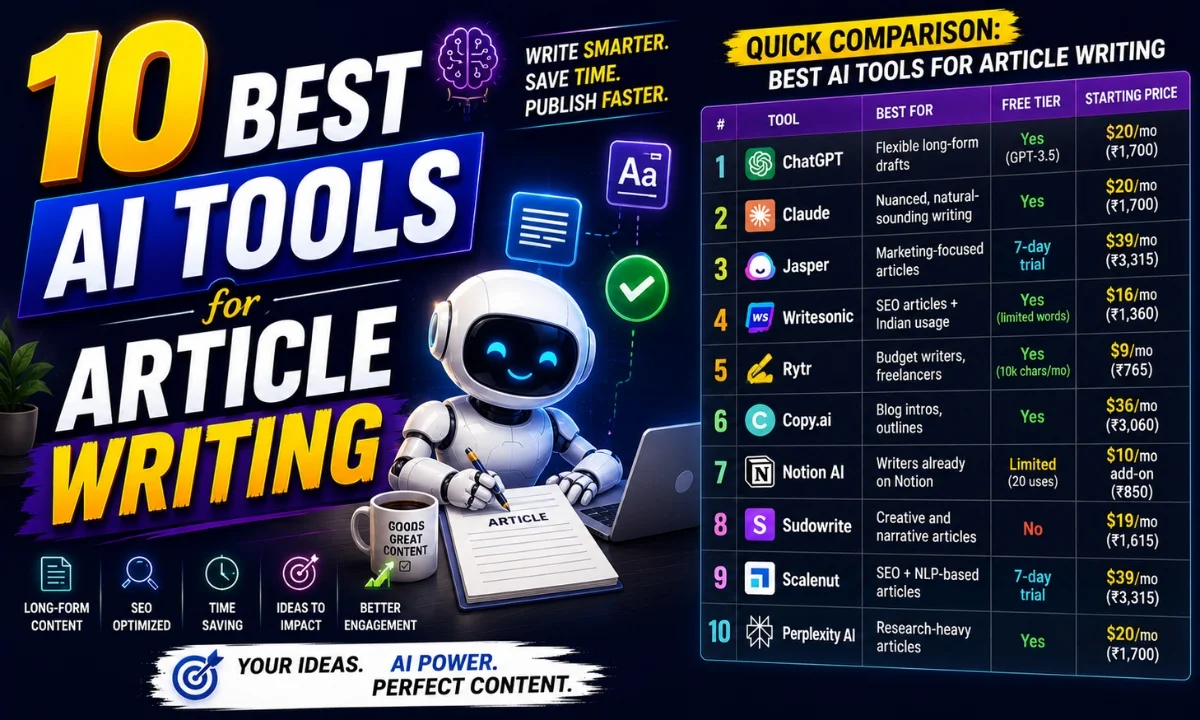
Quick Comparison: Best AI Tools for Article Writing
| # | Tool | Best For | Free Tier | Starting Price |
|---|---|---|---|---|
| 1 | ChatGPT | Flexible long-form drafts | Yes (GPT-3.5) | $20/mo (₹1,700) |
| 2 | Claude | Nuanced, natural-sounding writing | Yes | $20/mo (₹1,700) |
| 3 | Jasper | Marketing-focused articles | 7-day trial | $39/mo (₹3,315) |
| 4 | Writesonic | SEO articles + Indian usage | Yes (limited words) | $16/mo (₹1,360) |
| 5 | Rytr | Budget writers, freelancers | Yes (10k chars/mo) | $9/mo (₹765) |
| 6 | Copy.ai | Blog intros, outlines | Yes | $36/mo (₹3,060) |
| 7 | Notion AI | Writers already on Notion | Limited (20 uses) | $10/mo add-on (₹850) |
| 8 | Sudowrite | Creative and narrative articles | No | $19/mo (₹1,615) |
| 9 | Scalenut | SEO + NLP-based articles | 7-day trial | $39/mo (₹3,315) |
| 10 | Perplexity AI | Research-heavy articles | Yes | $20/mo (₹1,700) |
Buy AI Tools at Cheapest Price
1. ChatGPT — Best for Flexible Long-Form Drafts
Honestly, ChatGPT is where most people start — and for good reason. I’ve used it to write everything from 800-word explainers to 2,500-word opinion pieces. The GPT-4 version handles structure well, remembers context within a session, and you can guide it with follow-up prompts if the first draft feels off. It’s one of the best AI tools for article writing if you’re okay doing some editing yourself.
The free tier runs on GPT-3.5, which is noticeably weaker for long articles — it loses track of the structure midway sometimes. GPT-4 needs the $20/month plan (around ₹1,700, roughly the same as a Netflix Premium subscription). For Fiverr writers or anyone delivering 10+ articles a week, that math works out easily. OpenAI’s ChatGPT also added a memory feature recently, which helps if you maintain a consistent writing style.
One real test I ran: I gave the same product review brief to five tools. ChatGPT’s output was the only one I’d send to a client without major edits. That says something.
2. Claude — Best for Natural, Human-Sounding Writing
Claude by Anthropic is the one I reach for when I need an article that doesn’t sound like it was generated. The sentences flow better. There’s less of that robotic “Furthermore, it is important to note” energy. I’ve used it for long thought-leadership pieces and it handles nuance surprisingly well — it won’t just tell you what you want to hear, which is actually useful when you’re writing something opinionated.
Free tier is available but has daily message limits — fine for occasional use, frustrating if you’re producing daily content. Paid plan is $20/month (₹1,700). Anthropic’s Claude now has a 200K token context window on the Pro plan, meaning you can paste an entire research document and ask it to write based on that. Very useful for data-heavy articles.
The one downside: Claude won’t access the internet, so you can’t ask it to “check the latest stats.” You bring the research, it brings the writing.
3. Jasper — Best for Marketing-Focused Articles
Jasper is built specifically for content marketers. It has templates for blog posts, AIDA frameworks, product descriptions — the kind of structure that saves time when you’re writing at volume. If you’re running a brand blog or managing content for clients on Upwork, Jasper’s Brand Voice feature is genuinely useful. You train it on your existing content and it writes in that style going forward.
That said, ₹3,315/month is a lot. The 7-day trial is free but you need a card. I’d only recommend this for agencies or full-time content teams, not solo freelancers starting out.
4. Writesonic — Best for SEO Articles with Indian Usage
Writesonic has a solid free tier — limited words, but enough to test it properly. What I like is that it has a built-in Article Writer that takes a topic and generates a full structured post with headings. The output quality is decent, not amazing. But the SEO-focused templates, especially the one integrated with SurferSEO, make it one of the better best AI tools for article writing if rankings matter to you. Pricing starts at $16/month (₹1,360), which is reasonable.
Indian English support is better here than on most tools. I tested a query about “home loan options for salaried employees in India” — the output actually referenced Indian lenders and used correct context. That’s not common.
5. Rytr — Best for Budget Freelancers
At $9/month (₹765), Rytr is the most affordable paid option in this list. The free plan gives you 10,000 characters a month — enough for two or three short articles. Output quality is decent for short-form, weaker for anything beyond 1,000 words. But for a freelancer writing product descriptions or short blog posts on Fiverr? Paisa vasool, honestly.
Don’t expect it to replace a proper long-form tool. Use it for quick tasks and outlines.
6. Copy.ai — Best for Blog Intros and Outlines
Copy.ai’s free tier is genuinely usable — no word limits, just a cap on “runs” per month. I use it mostly for generating multiple intro variations when I’m stuck. It’s not the strongest for writing full articles from scratch. But for ideation, outlines, and first-paragraph options? Really solid. The paid plan at $36/month (₹3,060) unlocks unlimited runs and team features.
7. Notion AI — Best for Writers Already Living in Notion
If Notion is your second brain, the AI add-on is a no-brainer. You can highlight any text and ask it to expand, summarize, or rewrite. For article writing specifically, I use it to flesh out outlines I’ve built in Notion itself. It’s contextual — it reads what’s around the cursor before generating. The add-on costs $10/month (₹850) on top of your Notion plan. Not a standalone article writing tool, but very handy as a daily writing assistant.
8. Sudowrite — Best for Creative and Narrative Articles
This one’s niche. Sudowrite is built for fiction and creative writing, but I’ve used it for narrative-style articles — the kind where you’re telling a story to explain a concept. The “Describe” and “Brainstorm” features are excellent for beating writer’s block. No free plan, starts at $19/month (₹1,615). If your articles are dry and informational, skip this. If you write essays or narrative journalism, try it.
9. Scalenut — Best for SEO + NLP-Based Articles
Scalenut is one of the more complete tools for SEO article writing. It pulls NLP terms your article should cover, shows competitor analysis, and has a guided editor. I tested it for a product category article and the output was notably more structured than what I got from general-purpose tools. Starts at $39/month (₹3,315) — worth it if SEO is your main goal and you’re publishing consistently.
10. Perplexity AI — Best for Research-Heavy Articles
Perplexity is different. It searches the web in real time and cites its sources — which makes it extremely useful for the research phase of article writing. I use it to gather data, then write the actual article in another tool. The free tier is solid. Pro is $20/month (₹1,700). If you write fact-heavy articles on finance, health, or tech, Perplexity saves hours of tab-switching.
Real Use Cases by User Type for Best AI Tools for Article Writing
- Freelance writers on Fiverr/Upwork: Rytr (budget) or ChatGPT (quality) — both handle Indian English reasonably well.
- Bloggers focused on SEO: Writesonic or Scalenut — both have built-in SEO features.
- Content agencies: Jasper with Brand Voice, or Claude for quality-first output.
- Journalists and researchers: Perplexity for research, Claude for writing.
- Notion-first solo writers: Notion AI — it lives where you already work.
Not sure which writing style actually suits your workflow? Check out our full guide to AI writing tools for a deeper breakdown by use case.
My Personal Pick from These Best AI Tools for Article Writing
For most Indian writers — freelancers, bloggers, content marketers — I’d say start with ChatGPT on the free tier, see if you’re getting value, then pay for GPT-4 if you are. If output quality matters more than anything else and you write opinion or narrative content, switch to Claude. If SEO rankings are your whole business, look at Scalenut or Writesonic instead.
There’s no single winner here. It depends on what kind of articles you write, how fast you need them, and what your budget looks like. I’ve tried to be honest about all of that above.
Want to see how some of these stack up directly against each other? Read our ChatGPT vs Claude comparison for a side-by-side breakdown.
FAQs About Best AI Tools for Article Writing
Which AI tool writes the most natural-sounding articles?
Claude, in my experience. It’s the least robotic-sounding of all the tools I’ve tested. ChatGPT with GPT-4 is a close second.
Are there free AI tools for article writing that are actually usable?
Yes — ChatGPT (GPT-3.5), Claude’s free tier, Perplexity, and Copy.ai’s free plan are all usable for short to medium articles. Each has limits, but they’re real tools, not demos.
Do these tools support Indian English or Hinglish queries?
Mostly yes, though results vary. Writesonic and ChatGPT handle Indian context better than tools like Sudowrite, which is built around American English norms.
Will Google penalize AI-written articles?
Google has said it cares about content quality, not how it’s produced. That said, unedited AI output often lacks originality. Always review, add your own insights, and fact-check. The best AI tools for article writing are assistants, not replacements.
If you’ve used any of these tools already, drop your experience in the comments — especially if you’ve found something that works well for Indian content. Always curious what’s actually working for people.